
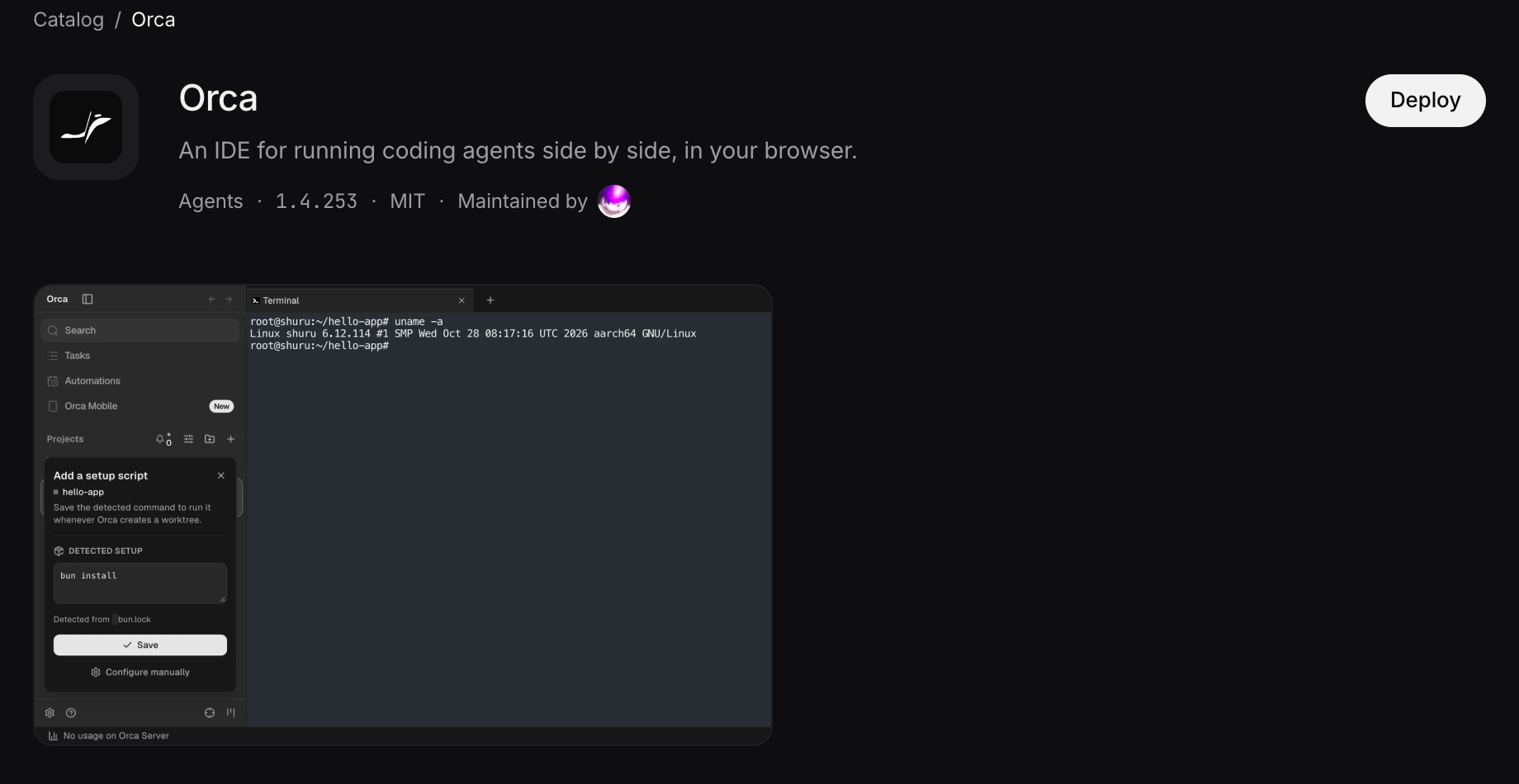
Orca gives your coding agents a place to work side by side, with projects, terminals and diffs in one interface. Now you can host it on SuperHQ and open it in your browser.
Your code and agents run on a machine in your workspace. Close your laptop, move to another computer and open the same Orca there. You do not have to install it on every machine you use.
Orca gets a Debian sandbox with 2 CPUs, 8 GB of memory and a 20 GB disk. Your project, tools and Orca settings live there, with Orca running as the normal app user.
Its address is private to your SuperHQ workspace. You sign in to SuperHQ to reach it, then pair your browser with Orca. The catalog entry keeps this app private; it is not a public coding environment that anyone with the address can use.
Getting started
Open Orca in the catalog and choose Deploy. You can read the catalog page without signing in. Deploying needs a SuperHQ account and a workspace with credits.
Setup takes you through four screens:
- Where. Pick a workspace and a name for the app. The name becomes part of its address.
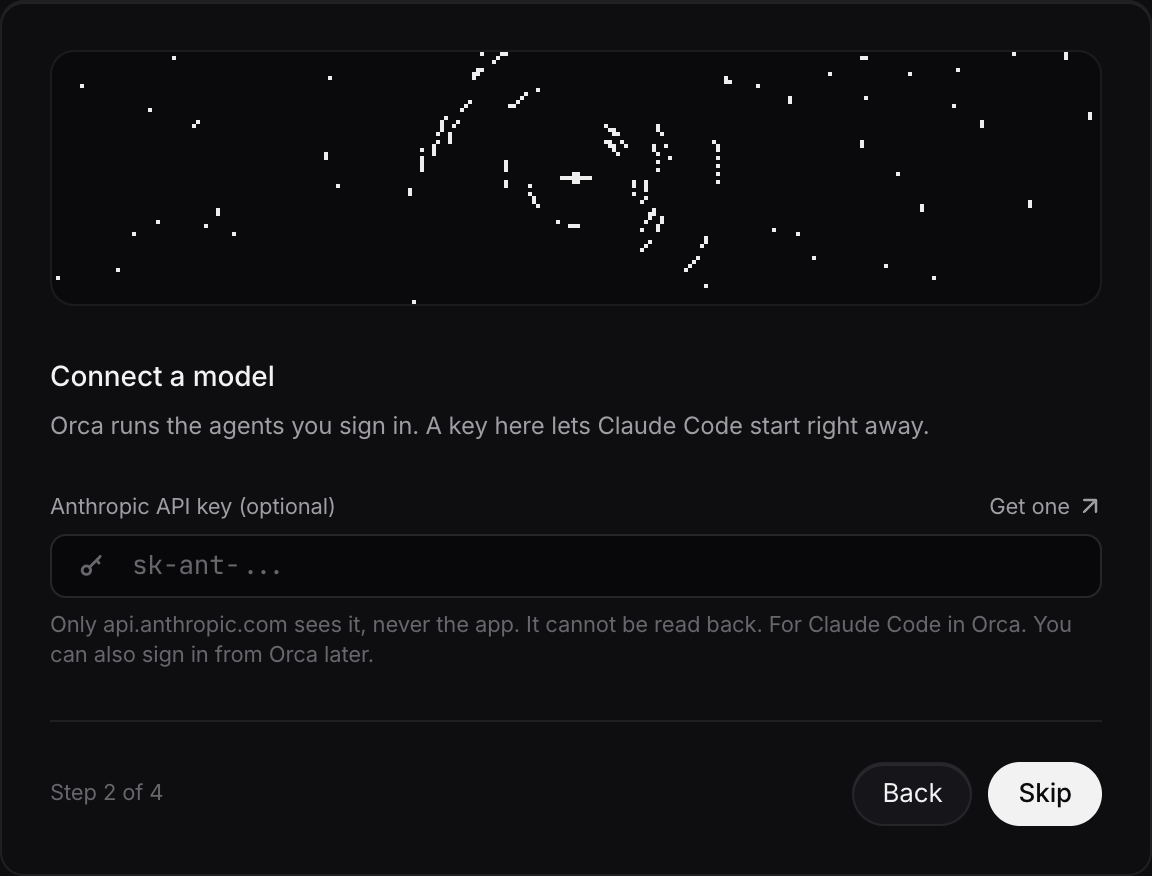
- Connect a model. Optionally supply an Anthropic API key for Claude Code. You can skip this and sign your agents in from Orca later.
- Pick a project. Optionally enter a repository URL. Orca clones it into its working directory on the first start.
- Review. Check the machine, the configuration and the files that will run it. Then choose Deploy Orca.
The app page follows the deployment as it fetches the code, installs Orca and starts it. The first install takes a few minutes.
The Anthropic field is a shortcut for getting Claude Code ready. It does not mean Orca is limited to Anthropic. You can use Claude Code, Codex and the other agents supported by Orca, with their own sign-in or configuration inside Orca.
Model usage is billed by your provider, separately from the machine. Hosting Orca does not include a model subscription.
For the Anthropic key supplied through setup, the sandbox receives a stand-in. SuperHQ substitutes the real key on outgoing requests to api.anthropic.com. You can replace or remove it later in the app’s Settings, under Configuration.
After deployment, open the app’s Logs tab and load its output. Find the line beginning Web client URL: and open that link in the browser you want to use for Orca.
That link pairs the browser with your Orca server. Once paired, the app’s Open button and its ordinary address work in that browser. If you use another browser or computer, pair it once too.
Treat the pairing link like a password. Orca lets you revoke access under Settings → Remote Orca Servers → Shared Server Access. If pairing stops working after a reset, use the newest Web client URL from the logs.
A workspace you can come back to
An open Orca tab keeps its machine running. When the machine is idle, it can park: the processes stop and the disk stays. Opening the app wakes it again.
Your files, worktrees and saved Orca settings remain on disk. A running agent process does not keep working while the machine is parked. Leave the tab open while a long task runs.
What it costs
SuperHQ charges for the resources the sandbox uses. One credit is one US dollar.
The current catalog estimate for Orca is about 0.018 credits an hour while open and idle, based on roughly 400 MB of memory and very little CPU. With both CPUs and all 8 GB busy, the machine can cost about 0.49 credits an hour. Actual usage depends on what your agents run.
When parked, only disk storage is charged. At the catalog’s measured disk footprint, that is about 0.0086 credits a day. More files mean more storage. Outgoing data and your model provider’s charges are separate.
The catalog shows the estimates before you deploy, so you can check them against the work you have in mind.
The package is open source in superhq-ai/apps. Its manifest describes the inputs and process, its build script installs a pinned Orca release, and its start script launches the server. Setup lets you inspect those files before deploying.
Open Orca in the catalog. Bring a project and your agent account, pair your browser, and you have a coding workspace at its own address.