Claude Cowork made it normal to hand an agent a folder and a task. A durable is that same way of working, except the agent is yours. It has its own address, its own machine, your model key and your own bot. It feels like something you host yourself, without you running a server.
Its own address
Every durable lives at an address of its own. Open it and you are in its chat, from any browser, on any device. Only you and the people in your workspace can open it. The same agent answers on Telegram through a bot that is yours, and over an API for your own programs. One agent, one memory, wherever you reach it.
Its own machine
Behind that address is a Linux machine that belongs to the agent: Debian on its own kernel, with root. Open a terminal from the console and you see everything it has: its files in /workspace, its skills in ~/.agents/skills, and every conversation it has had in one SQLite file on its own disk. Install a package, run Docker, or read what it did last night.
The pieces underneath are open source: shuru runs the machine, and the agent is built on Pi Durable.
Your model, your keys
It runs Claude on your own Anthropic key, or GPT, or any model on OpenRouter. Model calls go from its machine straight to your provider, and SuperHQ adds nothing to them. Your other secrets never enter the machine in the clear: it holds a stand-in, and the real value is put in on the way out, only to the hosts you name. GitHub works with your own access, so it reads your repositories and opens pull requests as you would.
Open models too
Because the key is yours, so is the choice of model. Through OpenRouter a durable runs open models such as Qwen, DeepSeek, Kimi, Mistral and Llama, the same way it runs Claude. Pick one for its price, for where it is served, or because you want weights anyone can inspect, and change it later from the durable page without losing anything the agent knows.

Your skills and tools
Skills are an open format, and a durable reads the same SKILL.md folders Claude does, so the skills you use in Cowork work here unchanged. Send it the repository you keep them in and ask it to install them. The connectors you rely on come back as MCP servers, added from the console.
It keeps its own hours
A schedule can wake a durable at nine on Friday. It reads the skill for the job, does the work, and sends the result back as a file, in the chat or on Telegram. When there is nothing to do, the machine stops and only its disk is kept, and the next message or schedule picks up from what it wrote down.
Setting yours up
Plan on ten minutes, most of it moving what you already have. Every step below happens in the console at app.superhq.ai, except the ones you do by talking to the agent.
Create the durable
Open Durables and choose New durable. It asks four things:
- A name. Lowercase letters, digits and hyphens, like
release-notes. The name becomes its address:release-notes-<workspace key>.nanite.page. - A model and its key. Pick Anthropic, OpenAI or OpenRouter, choose a model, and paste your API key. The key is sealed: only the provider sees it, never the agent, and it cannot be read back. For open models such as Kimi or DeepSeek, pick OpenRouter; any model id it lists works.
- What it should do. Start from an example, or choose Write my own.
- Its instructions. What it should know and how it should work, up to 8 KiB. It reads them before every message.
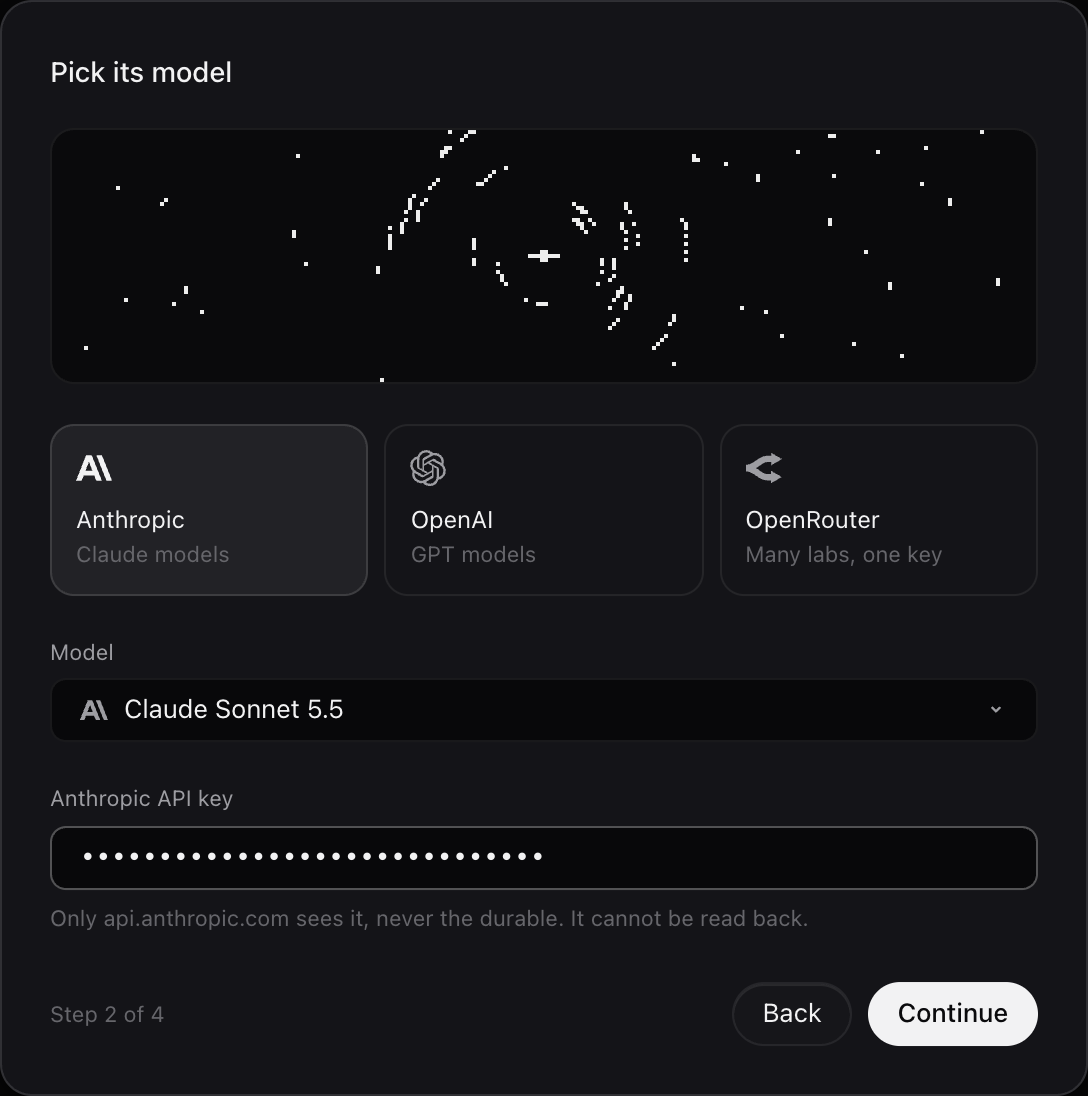
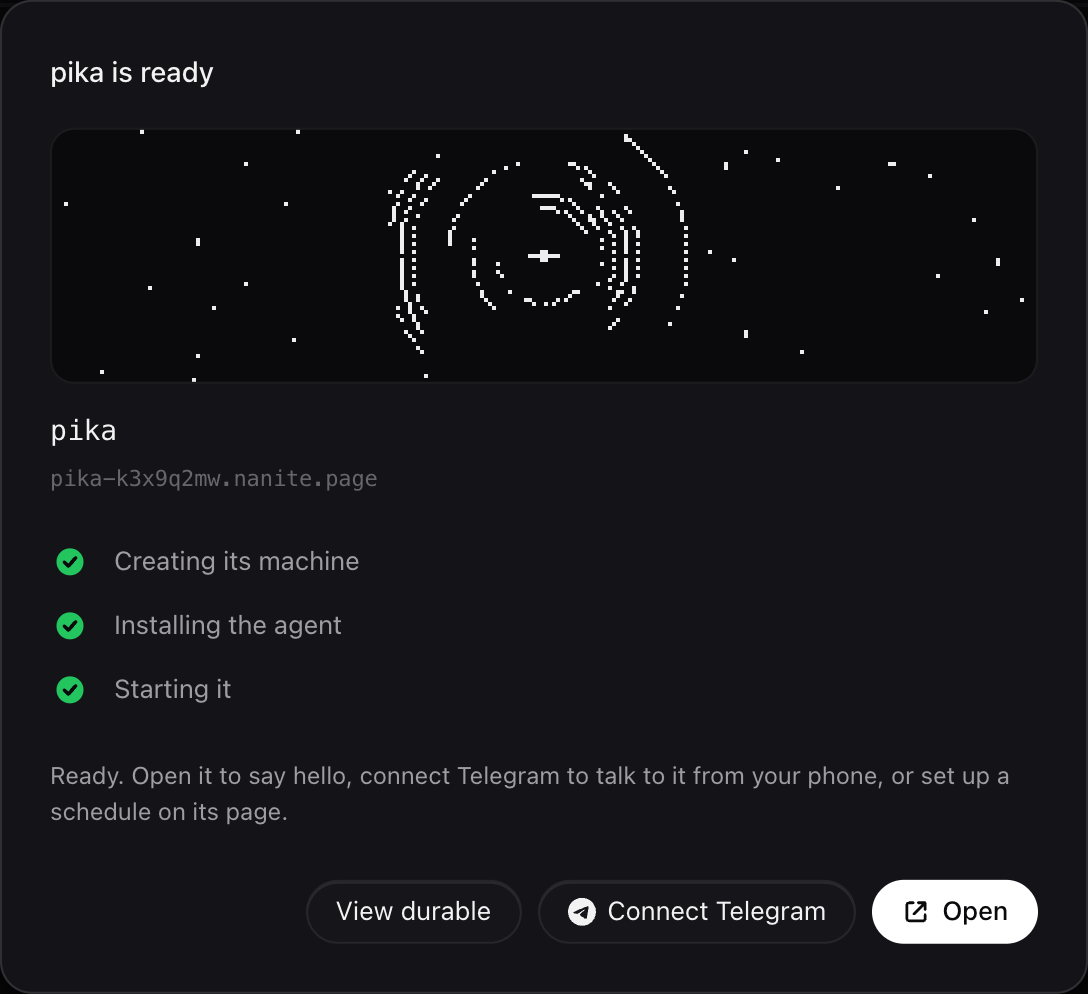
Setup runs on our side and takes a minute or two. You can close the dialog; it will be ready on its page. Then open its address and say hello.
Bring over your Cowork project
Your project instructions go in the instructions of the durable. If you skipped them while creating it, paste them under Settings, Instructions, where you can change them any time.
Your files go in the chat. Attach up to ten at a time, 50 MB each. They land in uploads/ on its machine and stay there between conversations, so ask it to sort them into the folders you want. For a repository or a large folder, connect GitHub first (Connect your tools) and ask it to clone what it needs.
Install your skills
Skills use the open SKILL.md format, so the ones you use in Cowork work unchanged. Ask for them in the chat, for example “install the skills from github.com/your-org/skills”. It fetches them onto its own machine, into ~/.agents/skills, and uses each one when a task matches. Send /skills in the chat or on Telegram to see what it has, and which folders it could not read and why.
Connect your tools
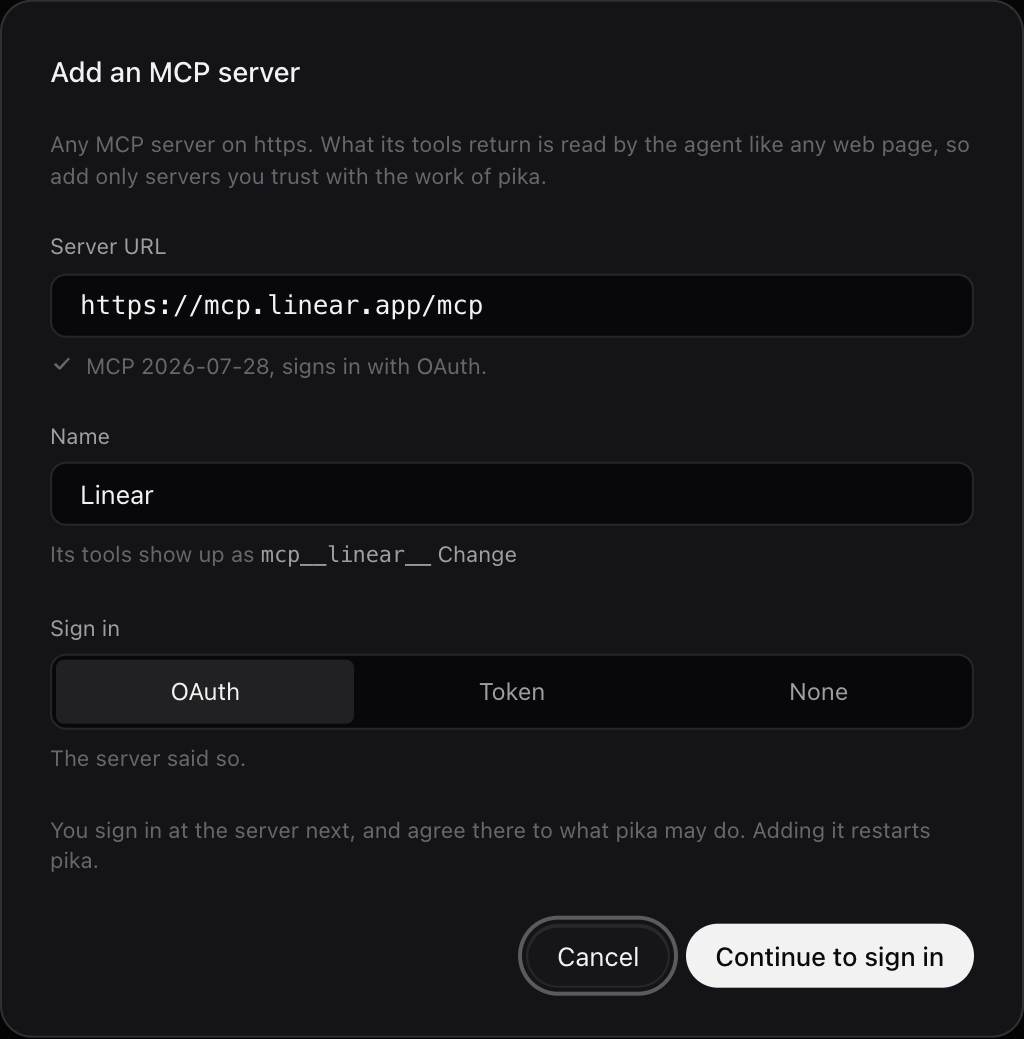
Cowork connectors become MCP servers. On the page of the durable, open Integrations and choose Add server. Paste the server URL, give it a name, and pick how it signs in: OAuth, a Token, or None. The console checks the server, saves its credential sealed, and restarts the agent with its tools. Whatever a tool returns is treated as data, never as instructions.
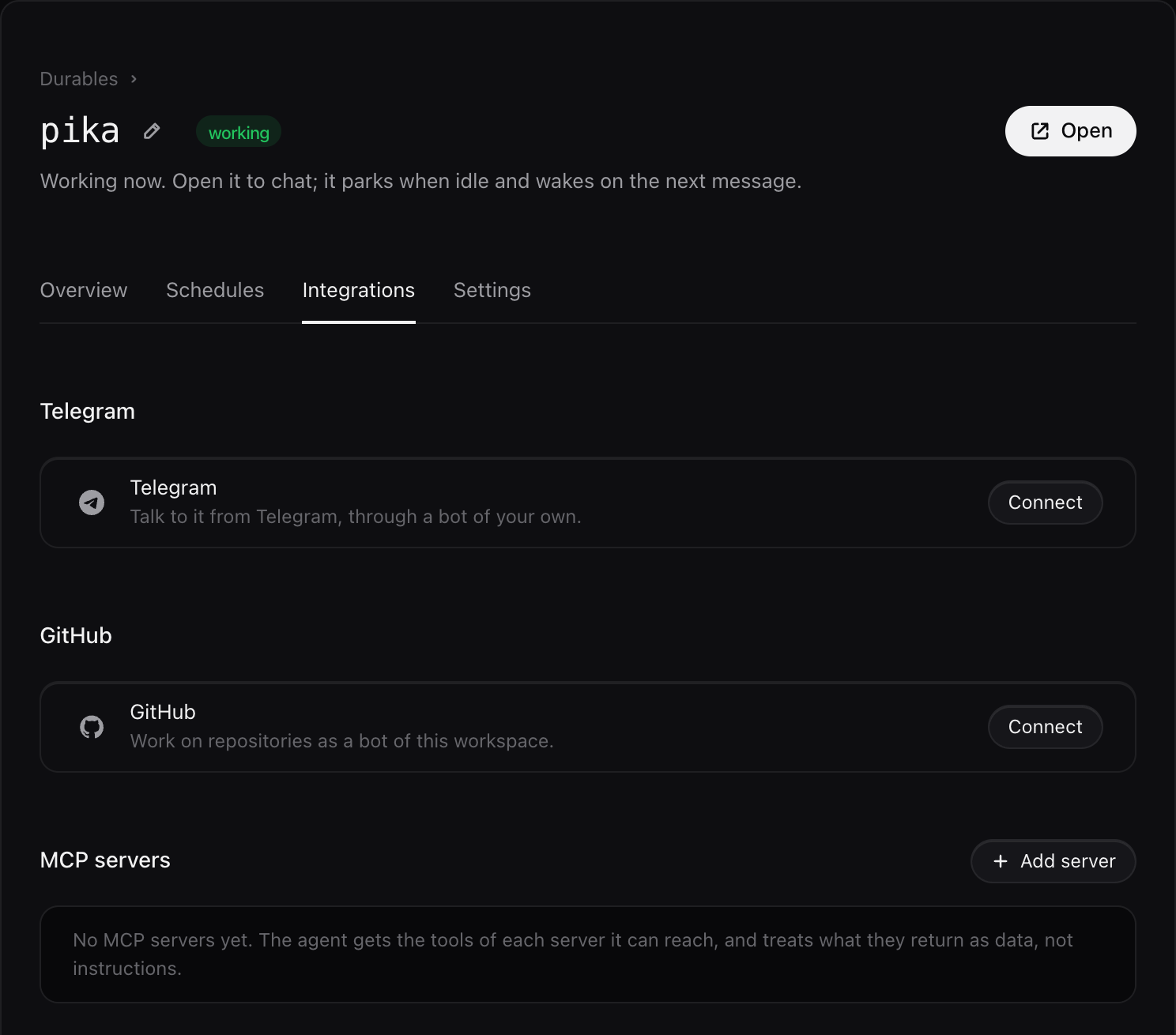
GitHub is in the same tab. Create a bot for it, a GitHub App with a name of its own, and choose which repositories it may reach. It gets gh and git with short lived tokens that reach only those repositories.
Talk to it from your phone
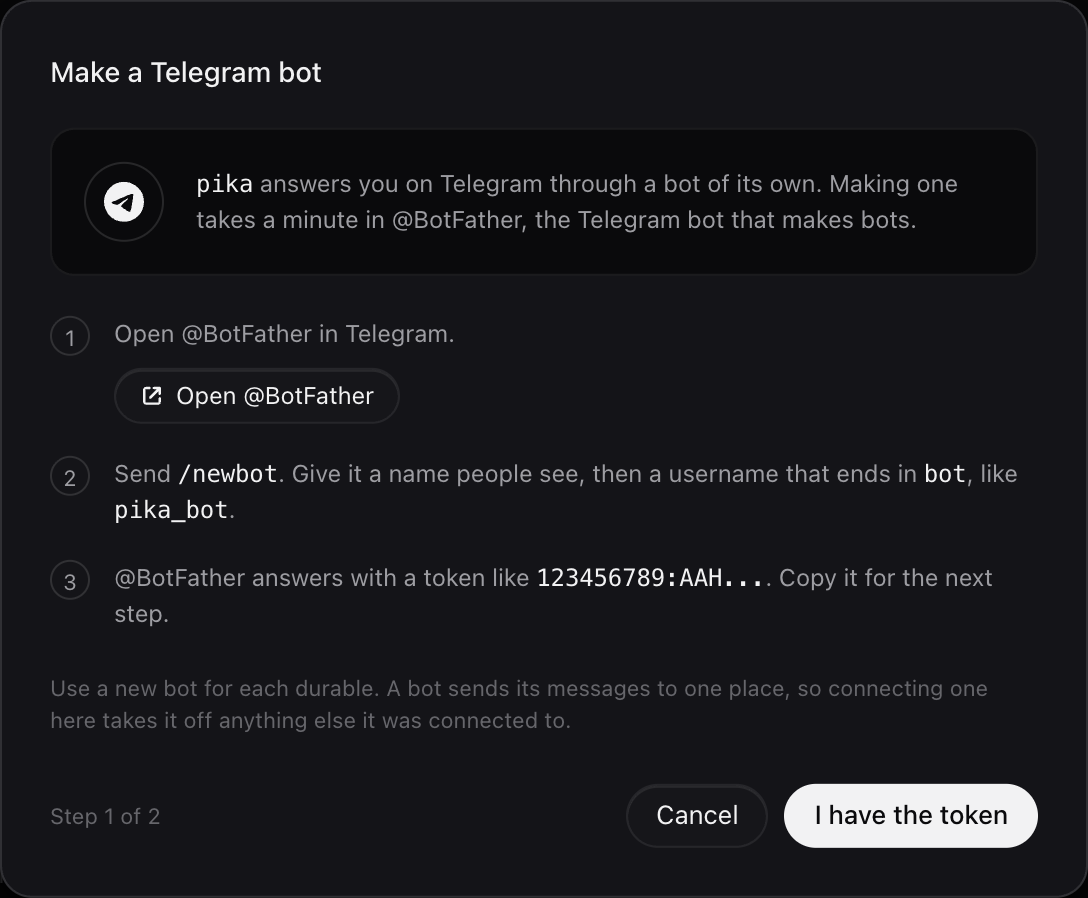
Under Integrations, Telegram, connect a bot of its own. In Telegram, open @BotFather and send /newbot. Give it a name people see and a username that ends in bot, then paste the token @BotFather sends back. Send your new bot a first message to pair it, and from then on it answers you there with the same memory as the web chat. Use a new bot for each durable.
Move recurring work to schedules
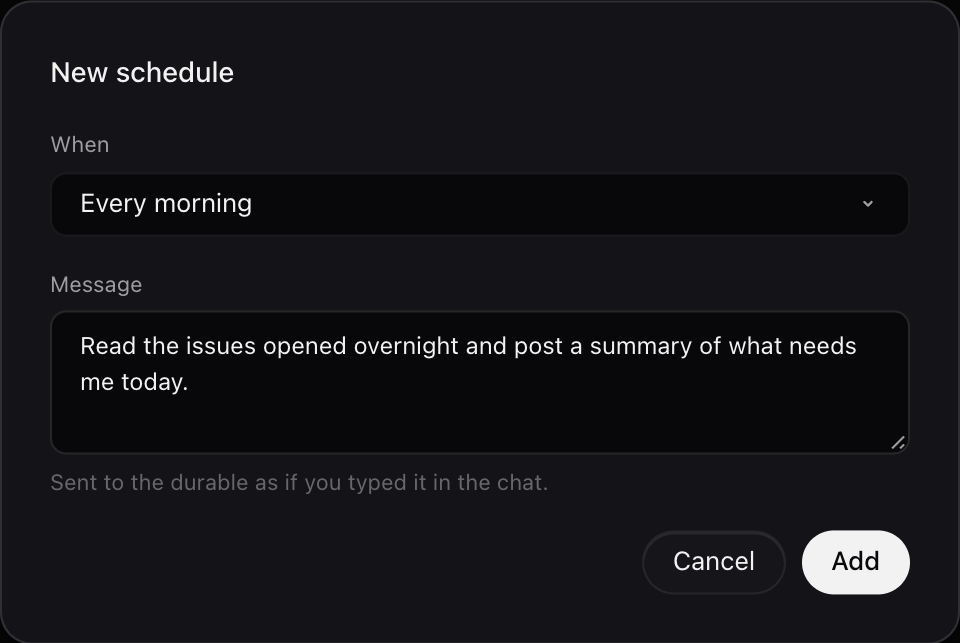
Scheduled tasks become schedules. Open Schedules and choose New schedule. Pick Every hour, Every morning, Weekdays at 9, or write your own cron line in UTC, then write the message. It is sent to the durable as if you typed it. At that time the machine wakes, the agent does the work, and the result is waiting in its chat. Then it goes back to sleep.
Keep an eye on it
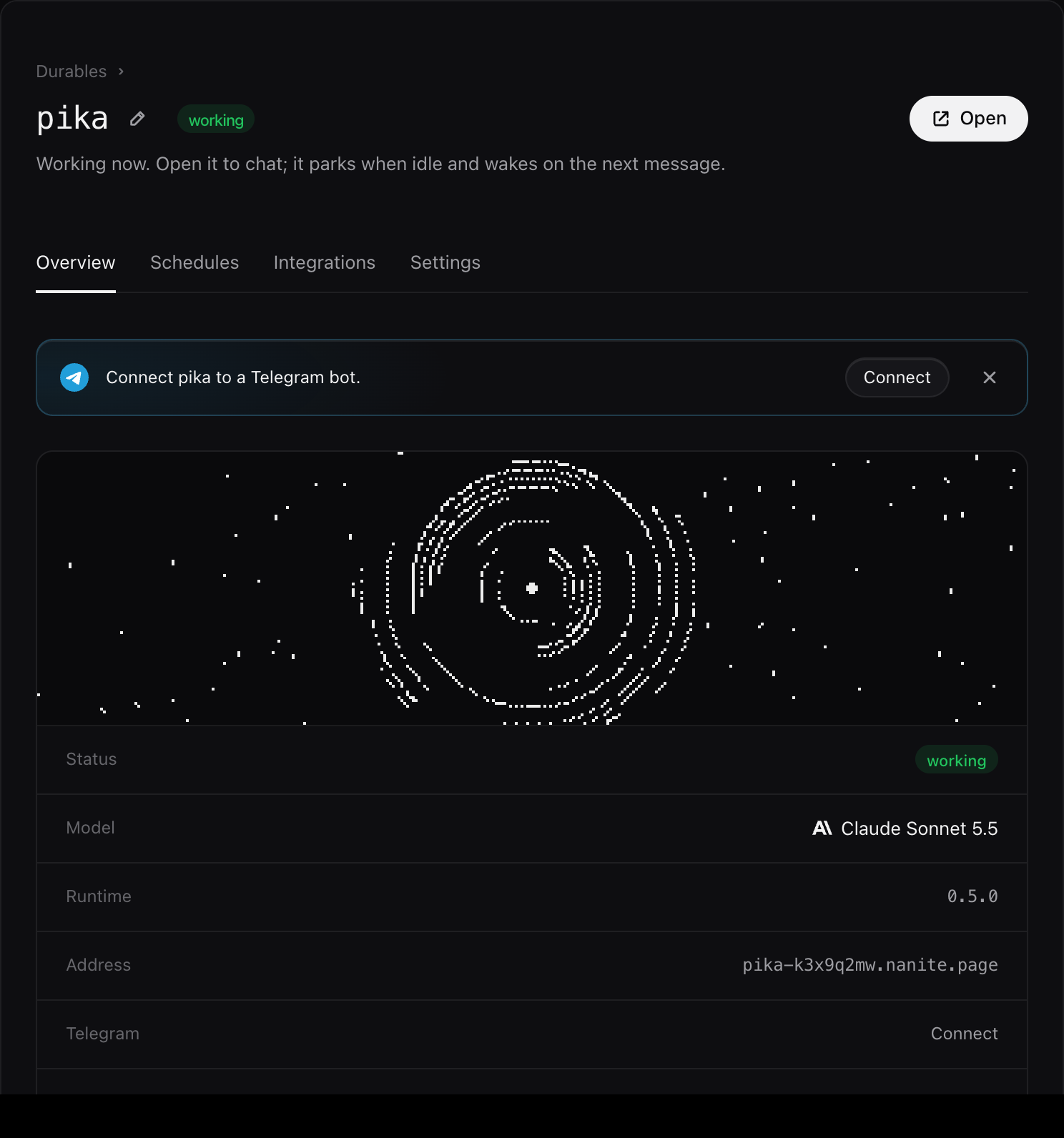
Its page shows its status, model and when it was last active, and the chat shows what it has cost. To change the model or replace a key, use Settings. To stop it for a while, Pause it; Telegram holds your messages for a day until you resume.
What it costs
A Claude plan pays for the model and the app together, inside usage limits. A durable splits them: the model is billed by your provider on your key, and the machine is billed by us, only for what it uses.
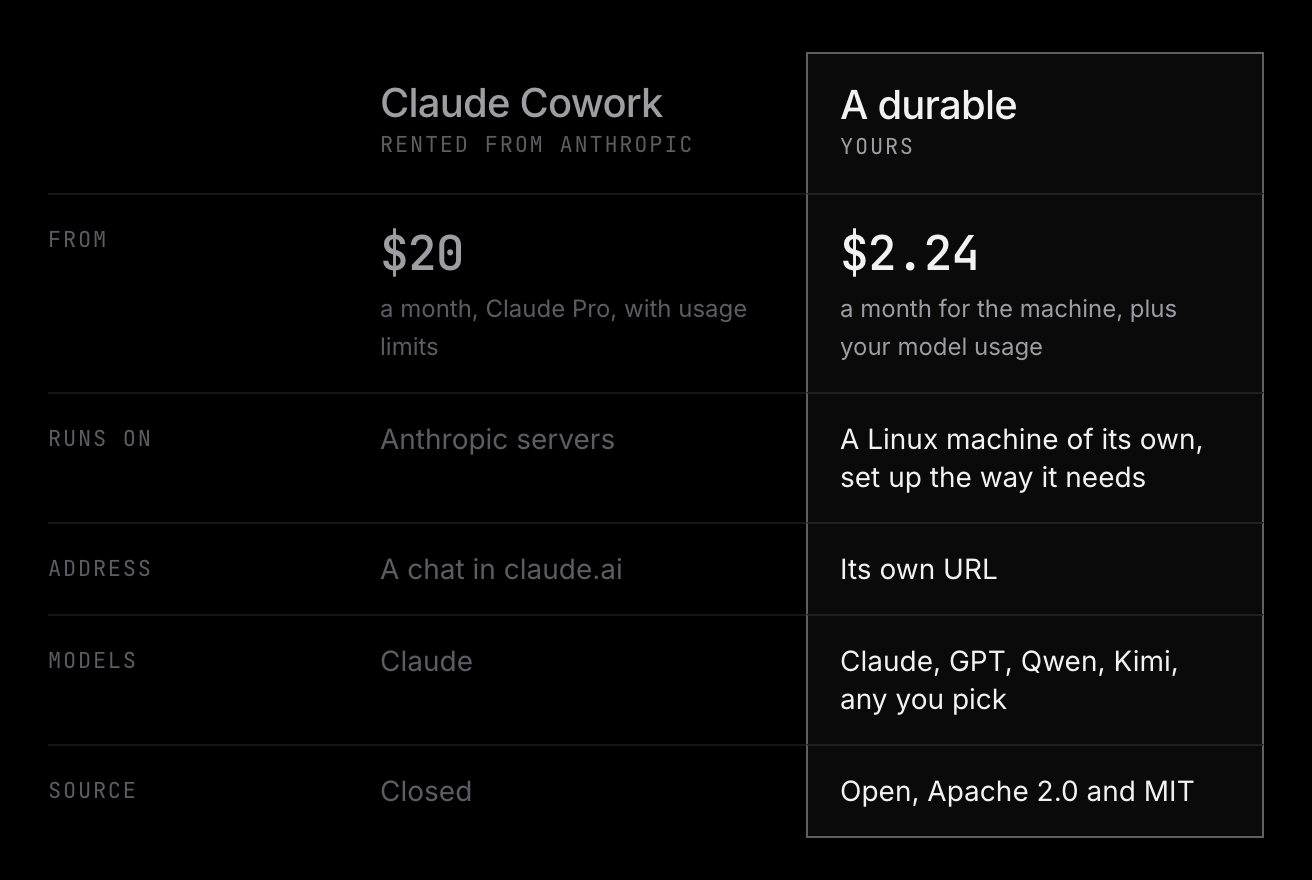
The machine costs nothing while it sleeps except its disk, at $0.15 per GB month. While it works, you pay for the CPU time it actually uses, at $0.072 per vCPU hour, and the memory it holds, at $0.0432 per GB hour. An agent spends most of its time waiting on the model, so an hour of work costs a few cents, and the bill follows how much of the day it is awake.
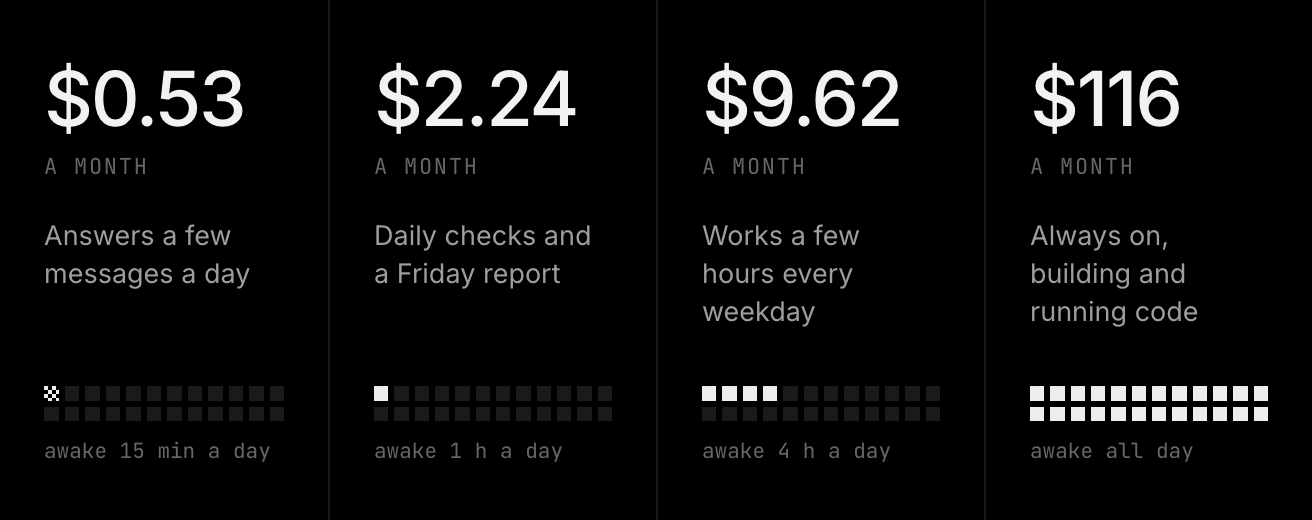
Add your model spend to those. If you use a lot of tokens every day, a Claude plan may include more model use than the same money buys on a key, so look at what you actually use.